Effects stack & six new effects
September 30, 2026
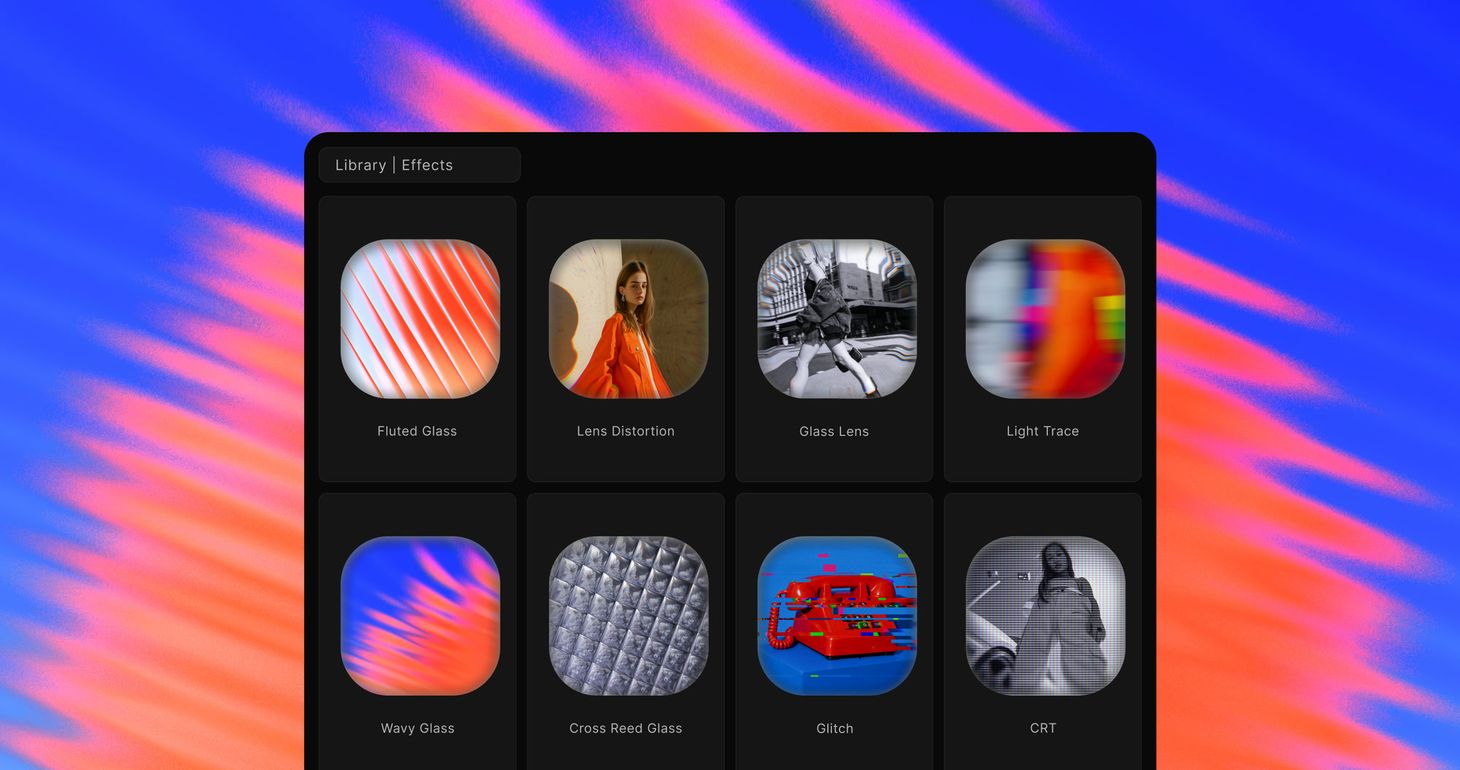
Effects now work like layers. Every effect lives in one stack you can combine and reorder, and six new ones join it: Glitch, CRT, Lens Distortion, Glass Lens, Light Trails, and Fractal Glass, which comes in five patterns.
What's new
- Six new effects for glass, lens, and retro looks
- One effects stack: combine any effects and drag to reorder them
- New effect picker with previews, grouped by style
- Reworked controls for Blur, Bloom, Dither, ASCII, and Gradient Overlay
New effects
- Glitch - digital and analog glitches, in bursts or constant
- CRT - a curved tube with scanlines and a phosphor mask
- Lens Distortion - barrel and pincushion warp with color fringing
- Glass Lens - clear in the middle, bent toward the rim
- Light Trails - a long-exposure smear that pulls highlights into bright lines
- Fractal Glass - patterned glass: Fluted, Wavy, Frosted, Cross Reed, and Ripple
One effects stack
Effects and post-processing are now one list. Press + to open the effect picker, where every effect has a preview and sits in a group.
Stack a Dither with Bloom and Film Grain, or put Fractal Glass over a Halftone, then drag the cards to change the order. The stack works like layers: an effect higher in the list is applied on top of the ones below it, and Adjustments always apply last. Click an effect's icon to swap it for another one in place, and your colors carry over.
Effects keep their size when you change the canvas aspect ratio, and animated effects like Glitch follow the timeline playhead, so the editor, your previews and your exports match. Existing projects open with their look intact.
If anything feels off, let us know - we're actively improving.
We would love to hear your feedback! Leave it
here
or just let us know via:
Email hello@morflax.com
, Twitter
@morflax_com